Features
Work through Cases with Briefcase's Features
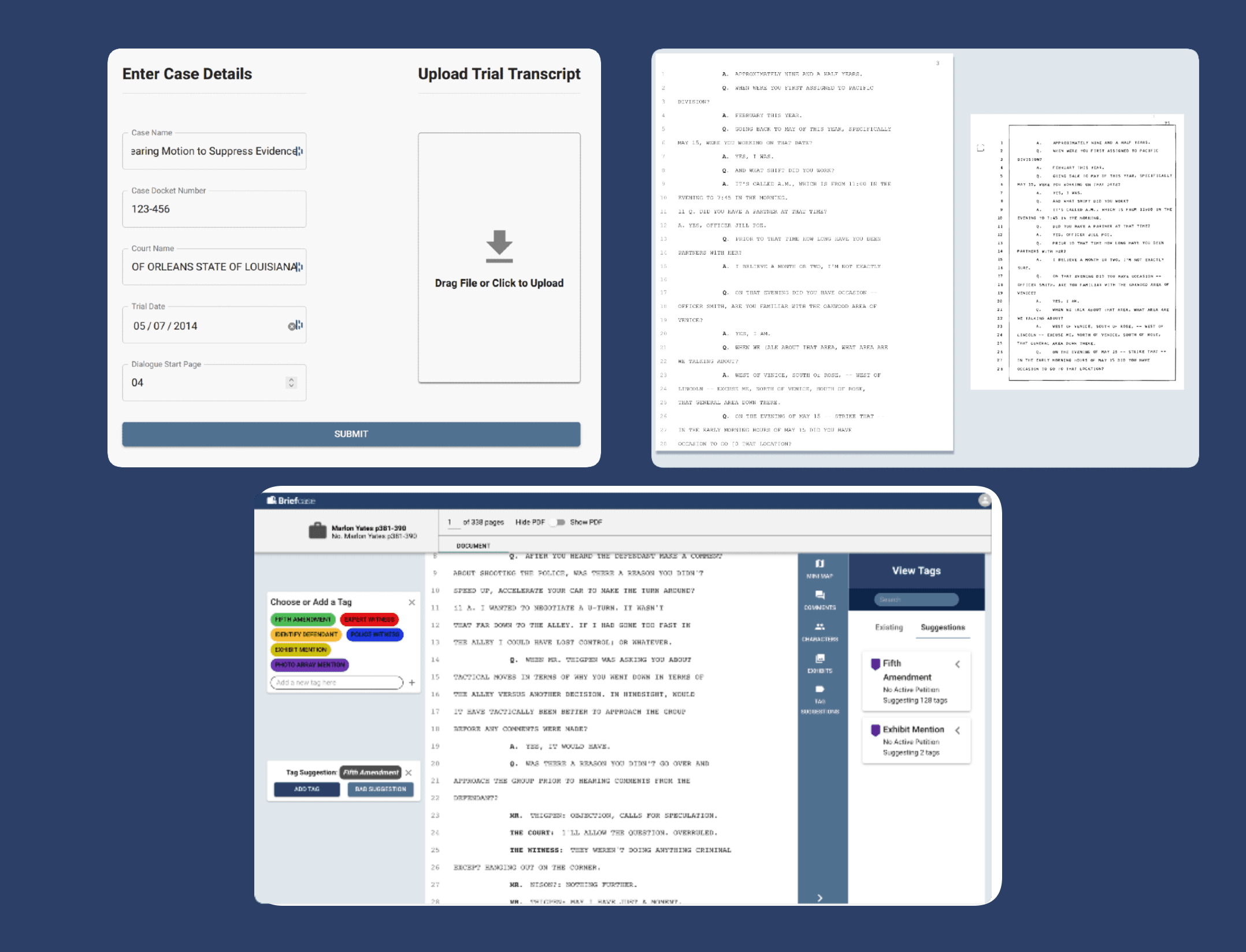
Analyze court transcripts for key moments, identify areas of dispute and inconsistency, and bookmark areas for review
Organization
Manage and Process your Cases Faster
Clean and user-intuitive workspace layout makes case organization easier
✓ Readable Transciprt: Upload your court transcript PDF and Briefcase will turn it into an easy to read, plaintext document
✓ Intuitive Dashboard: View your cases in a file or grid format, easily see your recently opened cases, and search for any case
✓ Collaborate with Peers: Communicating with peers has never been easier! Leave comments, tag peers, and share cases with others in your firm
Communication
Collaborate with your coworkers on cases
No more sticky notes on printed pages!
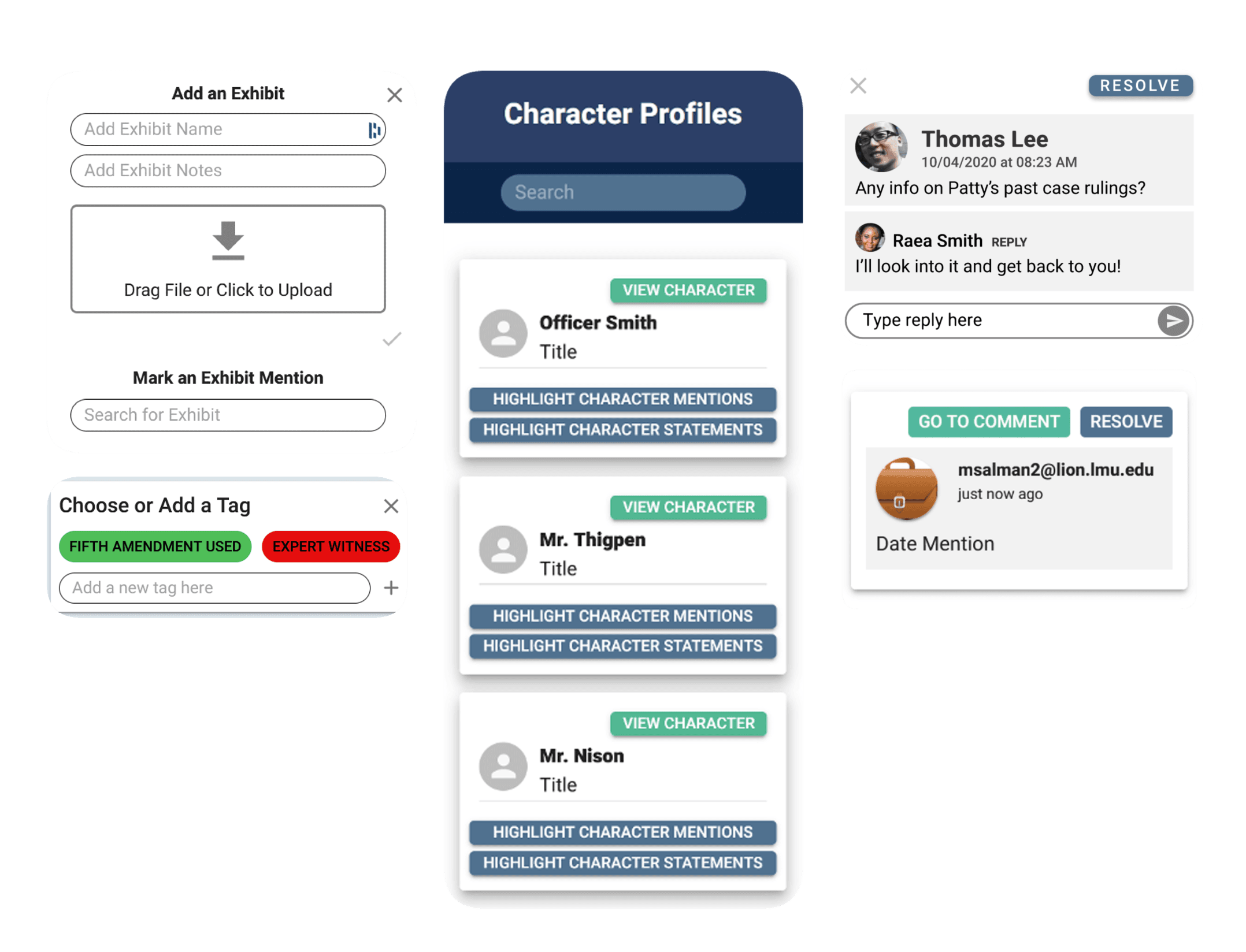
✓ Write Comments: Make notations on lines and respond to peers
✓ Track Exhibits and Character Profiles: Create exhibits for each case with any added details to streamline communication and track who is speakinger and where
✓ Custom Tags: Lawyers can create and assign custom tags to highlilght information throughout the case
Insights
Utilize Intelligent Insights to increase productivity
Let Briefcase do the work!
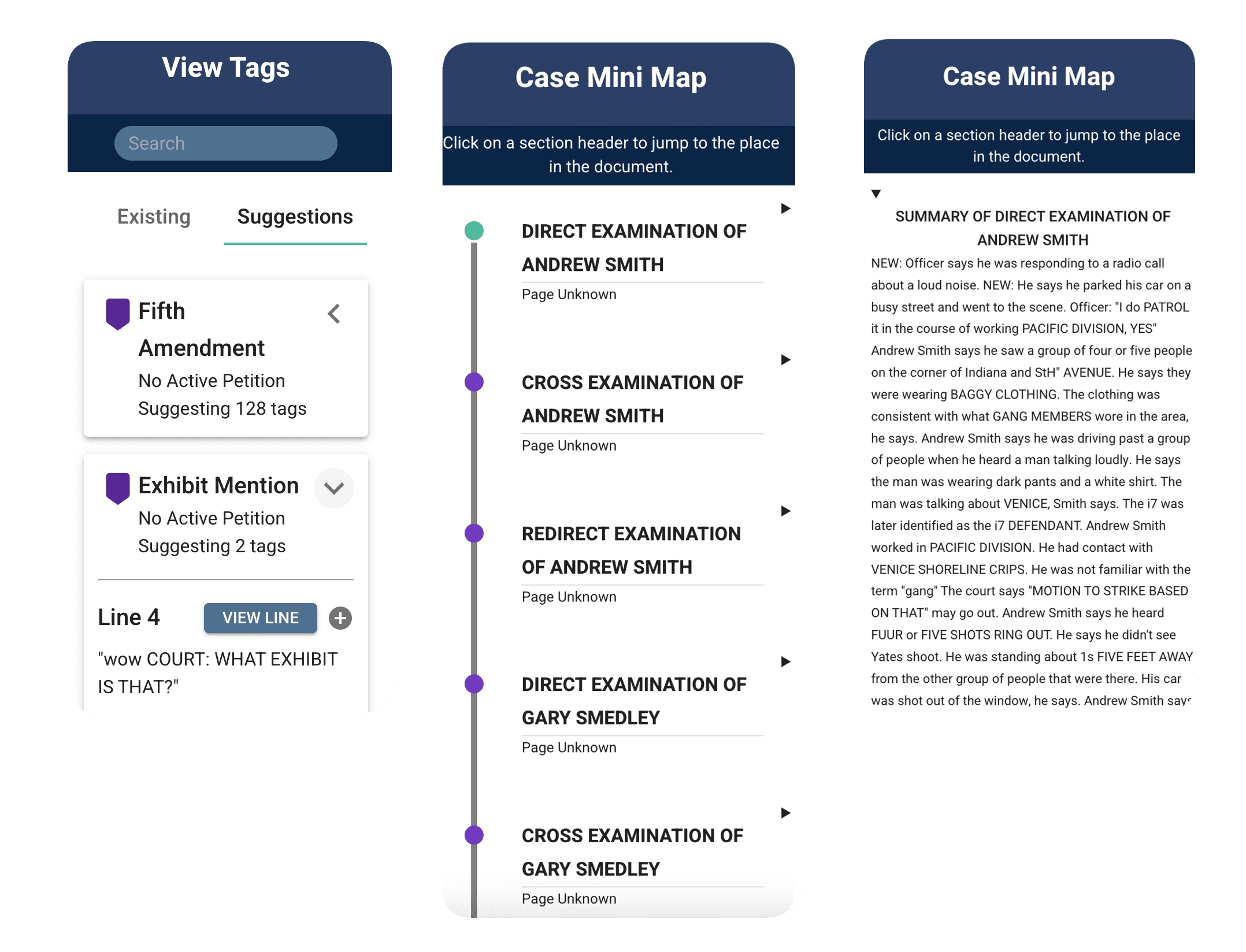
✓ AI Tags: Our Tags highlight relevant information and provide tag suggestions as you move through the case
✓ Case Minimap: Easily navigate your court transcript by tagging key sections like cross-examinations so users can easily find them
✓ Examination Summaries: AI generated summary of each examination and cross-examinations